Click a marker name to center the map.
Basic Controls
Navigation Distance Tool
Cue Indiana Jones travel theme...
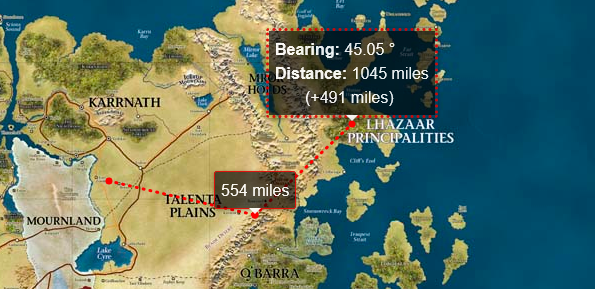
To use the navigation tool:
- Click on the Compass Icon in the right hand tools section.
- You are now in "Navigation" mode. When you click it will mark it as your start point.
- Move your mouse to draw a line with a tooltip that shows bearing and distance.
- Click again to set a point in the journey.
- When you are done, double click to close the path, or press the ESC key.
- Press ESC again or click on the compass icon to turn off the navigation tool.
- The distance tool may be slightly buggy on mobile devices. Reload if you encounter issues.